



EMU – 声光控制软件
EMU(DMXIS的下一代产品)是一款先进且操作直观的声控灯光控制器,专为专业现场音乐人和DJ设计。借助这款易于使用的软件,EMU能让你运行自动化或可根据现场情况做出响应的DMX灯光秀,使你可以专注于自己的演出!
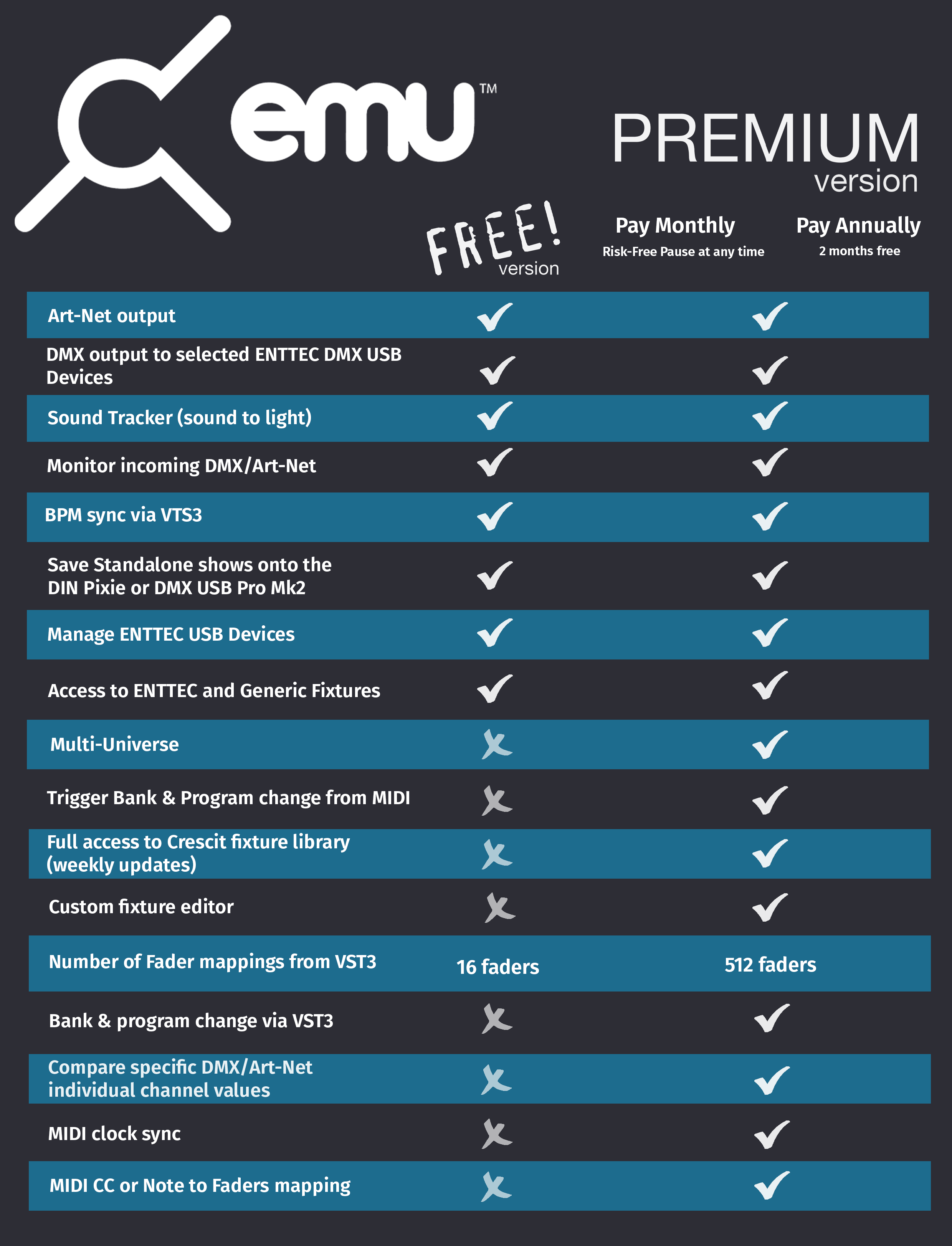
按年购买软件许可证,可免费获赠两个月软件许可证!
OR
先试用,再购买!
将您的音乐转化为灯光。
作为 DMXIS 的新一代产品,EMU 是一款专为音乐人、DJ 及现场艺术家打造的免费易用型音频转 DMX 软件。凭借其先进的属性选择器与可视化灯光控制界面,你可提前对整场灯光秀进行预编程,从而专注于现场演出。
只需通过 EMU 简洁直观的界面,即可手动步进控制灯光秀。你也可以使用 MIDI 音符,或通过 EMU 的 VST3 插件,在 DAW 播放时触发灯光状态。设备最高可输出 8 个 DMX 域(共 4096 个控制通道),打造震撼效果。
你的定制灯光秀将与演出自动同步,即使现场调整速度也不受影响。
借助 EMU 全新的 LED 像素映射页面,可将你的 LED 灯带与灯板转变为充满动感的视觉画布。在虚拟画布上排布灯具,可视化设计像素级灯光秀,让动态场景在实体 LED 上生动呈现。
无论你使用的是线性 LED 灯带、矩阵灯板,还是自定义造型,EMU 直观的拖放界面都能让安装设置变得轻松简单。只需添加灯具,将其摆放至与实际安装一致的位置,并从不断丰富的动态场景库中选择效果即可。欢迎了解下方的 EMU LED 像素映射功能。
EMU在设计时充分考虑到了现场表演的需求,其硬件风格的用户界面易于学习且方便使用。EMU凭借直观的、基于节奏的方式,能够实现灯光与音乐通过振荡器实时同步。
凭借锁定、反转和复制等功能,以及诸多便捷的键盘快捷键,打造您的灯光秀轻松无比。利用虚拟滑块控制每盏灯的参数,创建静态画面、动态追逐效果以及移动效果。
得益于其基于“库和程序”的逻辑来存储每种灯光效果,EMU让音乐家们能够轻松熟悉地踏入灯光控制领域,无需经历艰难的学习过程。
所有的控制区域都有较大的可点击面积,非常适合搭配触摸屏使用
无论你是想要控制LED染色灯、摇头灯、调光器组、烟雾机、扫描仪、月华灯……凡是你能说得出的,都可以利用EMU的DMX或Art-Net输出对它们进行控制。
ENTTEC恩特可科技已与克雷斯西特(Crescit)合作,为所有订阅了EMU的用户提供一个领先的灯具库,且该灯具库会定期更新。克雷斯西特是一家有着开发软件背景的公司,其软件旨在帮助专业灯光设计师研究、编辑、管理并分享制作信息。他们致力于将所有已知的灯具添加到自己的数据库中。
由于克雷斯西特庞大的灯具库已集成到 EMU 中,这使得费力地创建自定义灯具配置文件来控制设备的做法成为了过去式。
如果你发现你所需的灯具在 EMU 的库中缺失 —— 可在 EMU 论坛 EMU forum 上添加请求,并提供相关信息,以便团队成员将其添加进去。
注意:所有未订阅的用户可使用通用灯具库和ENTTEC灯具库

EMU的MIDI学习功能允许将其控制项映射到实体MIDI控制硬件或使用虚拟MIDI环回适配器的软件应用程序上。当EMU与MIDI输入连接后,利用外部软件在之前或之后的程序或库之间进行切换就变得很容易了。
EMU 甚至具备查看传入的 MIDI 事件的能力,以帮助你排查配置方面的问题!
对于那些希望能更直接地控制其灯光秀中每个属性的用户来说,EMU 支持将推子与外部 MIDI 进行 1:1 映射,从而能够实时精确地控制灯光水平,呈现出精细的效果。
对于那些利用 EMU 内置振荡器的用户来说,可以使用 MIDI 时钟,或者通过 MIDI 控制变化(MIDI CC)或其他方式使用拍速设定功能来设置全局速度,从而毫不费力地实时同步所有灯光秀文件中的振荡器。
EMU 提供了一款适用于 Windows 32 位或 macOS 64 位系统的 VST 插件,该插件能够将你最喜欢的数字音频工作站(DAW)的主播放状态与 EMU 主应用程序进行同步,从而可以直接从数字音频工作站控制程序及库的变更。
对于那些想要精确控制其灯光秀中每个属性的用户而言,EMU 允许将各个推子与 VST3 插件进行 1:1 映射,以便对每一个细微之处进行把控。
通过使用 VST 插件,节奏会自动从数字音频工作站(DAW)同步到 EMU,这使得那些利用 EMU 内置振荡器的用户能够确保所有效果都与节奏保持同步,即便节奏是在现场被改变的情况下也不例外。EMU 会处理好一切事宜,让你能专注于演出本身。
EMU 的声音追踪器功能允许你设置灯光使其直接对现场音频做出反应。通过从声卡、麦克风或虚拟环回适配器获取音频输入,在特定程序中定义音频反应性,从而突出展示内容的特定元素,使其产生更大的影响。
通过频段进行过滤,只需为每个单独的推子设置一个默认电平以及起音 / 释放时间 —— 然后就可以开始操作啦!
EMU 不仅仅是现场表演的绝佳辅助工具。
使用它来监控来自第三方来源的传入 Art-Net 数据,或者确定网络上有哪些 Art-Net 设备。同时监控 EMU 的 Art-Net 输出情况。
What’s New?
BETA RELEASE
LED Mapping
Create stunning light shows that sync with your music in real-time.
Design visually, control intuitively, and watch your performance come alive in light.

BETA RELEASE
LED Mapping
Create stunning light shows that sync with your music in real-time. Design visually, control intuitively, and watch your performance come alive in light.
Three-Step Simplicity
Set It. Map It. Rock It.
1
Define Your Space
This could be your setup. Add your LED strips and arrange them on the canvas. Drag-&-drop to position them exactly where they live in your physical setup.
2
Paint Your Vision
Choose from the growing scene library with more than 20+ customizable parameters. Select a scene and watch it play seamlessly on the EMU canvas.
3
Hit Play
Watch your lighting come alive in real-time on your physical LEDs as you work. Adjust scene parameters with faders and customize effects instantly on the fly.
Powerful New Features
Professional-grade tools for musicians and lighting designers

8 Universes of LED Mapping
Control hundreds of LED pixels across 8 universes for large-scale installations. Scale as big as you dream.
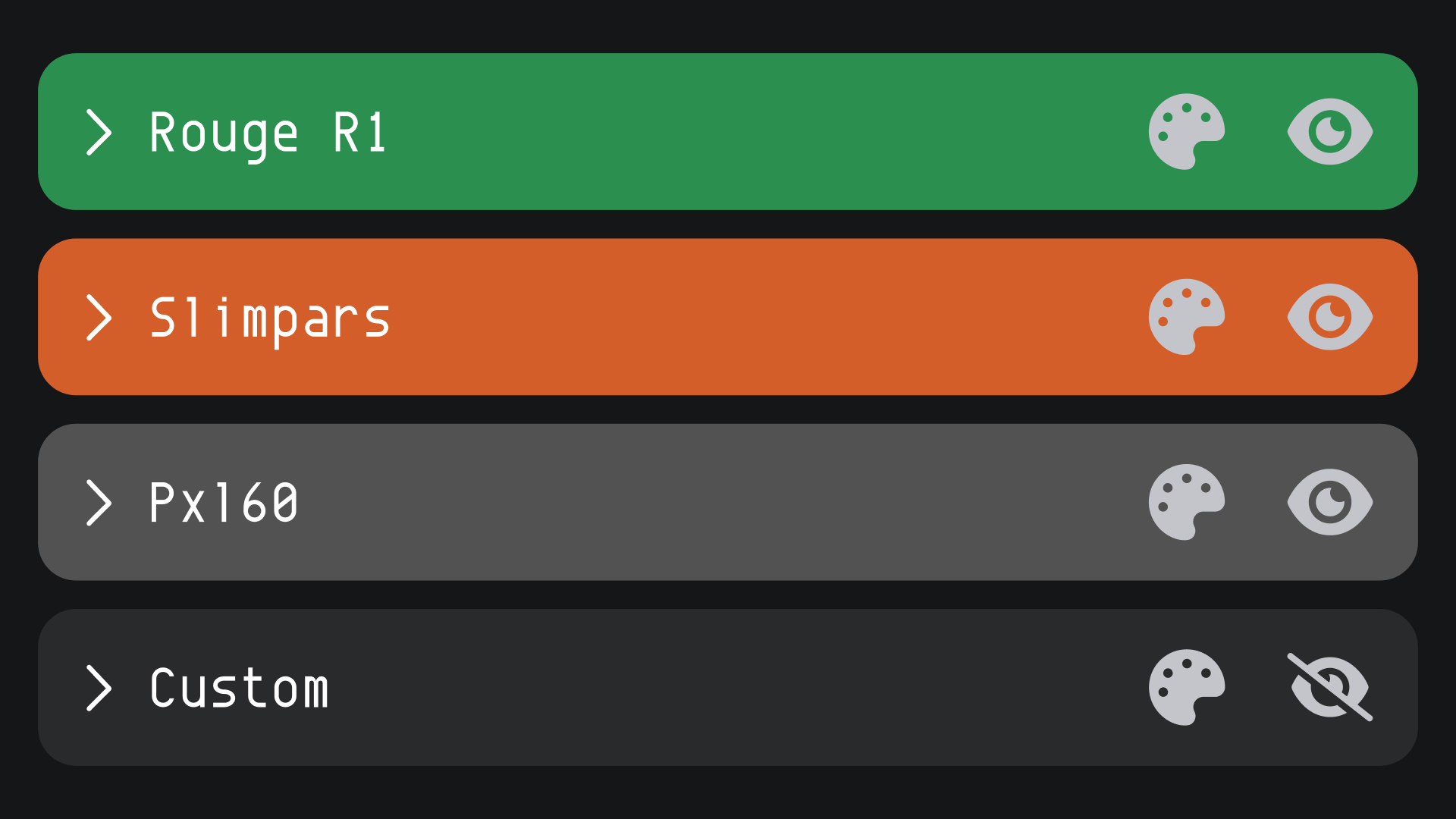
Map Any Fixture
Works with any DMX fixture – strips, panels & custom shapes. Your gear, your way.
Dynamic Scene Control
Save the same scene across programs with different parameters for smooth transitions. Real-time performance power.
Upload Video Scenes
Upload custom videos and add them directly to your scenes. Watch content play live across your pixel map for dynamic, motion-rich visuals.
Sound-Reactive Control
Map scene parameters to VST or MIDI controllers. Control lighting with DAW automation or live hardware for dynamic sound-driven effects.
Precision Alignment
Snap-to-grid, color coding, and shortcuts make setup fast and precise. Professional results, faster.
让我们开始吧!
在这里,我们将通过介绍的方式着重关注一个简单的 DJ 设备配置。
和ENTTEC恩特可科技电气工程师以及来自墨尔本的DJ兼制作人Jordan(又名Daggers)一起,看他一步步地为我们讲解如何使用EMU声光控制器软件来配置您的音频硬件和灯具,从而打造一场声光秀。从DMXIS进行升级再容易不过了,您很快就能呈现出伴有精彩节奏和炫酷灯光的表演啦!
我还需要什么?
一个硬件接口
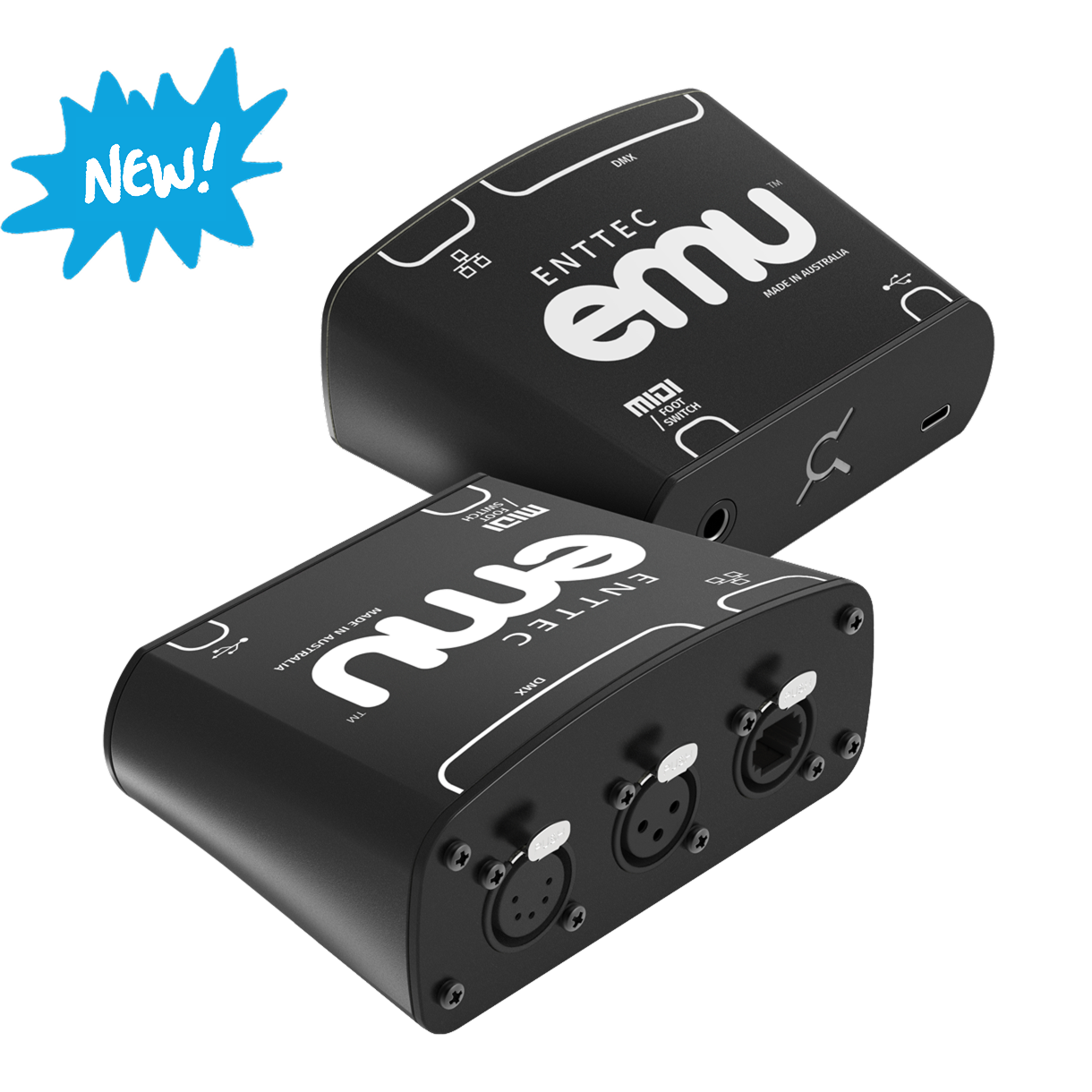
你需要一个DMX转USB接口,以便将灯光设备连接到电脑上。虽然有许多灵活的输出选项可用于实现这一连接,但没有哪一种比ENTTEC官方的EMU硬件接口更适用、更易于使用了。
这款轻巧、紧凑且便于携带的设备是唯一一款经专门设计的接口,当与EMU软件配合使用时,能够实现最佳效果。
它的两个卡侬(XLR)端口(3针和5针)能够输出合并后的单个DMX控制域(含512个通道),而其以太网端口在与我们的ODE MK3接口配合使用时,可为EMU软件订阅用户发送多达8个控制域。我们的EMU硬件也是市面上唯一一款配备了唱机插孔的接口,可让你通过MIDI或简单的脚踏开关实时触发演出。
此外,购买EMU硬件还能让你免费获得为期一年的EMU高级订阅服务,这样一来,你就能充分利用EMU所提供的每一项功能及优势了。在免费使用一年之后,你还将终生享受七折的订阅优惠,所以这是个很棒的组合套餐。
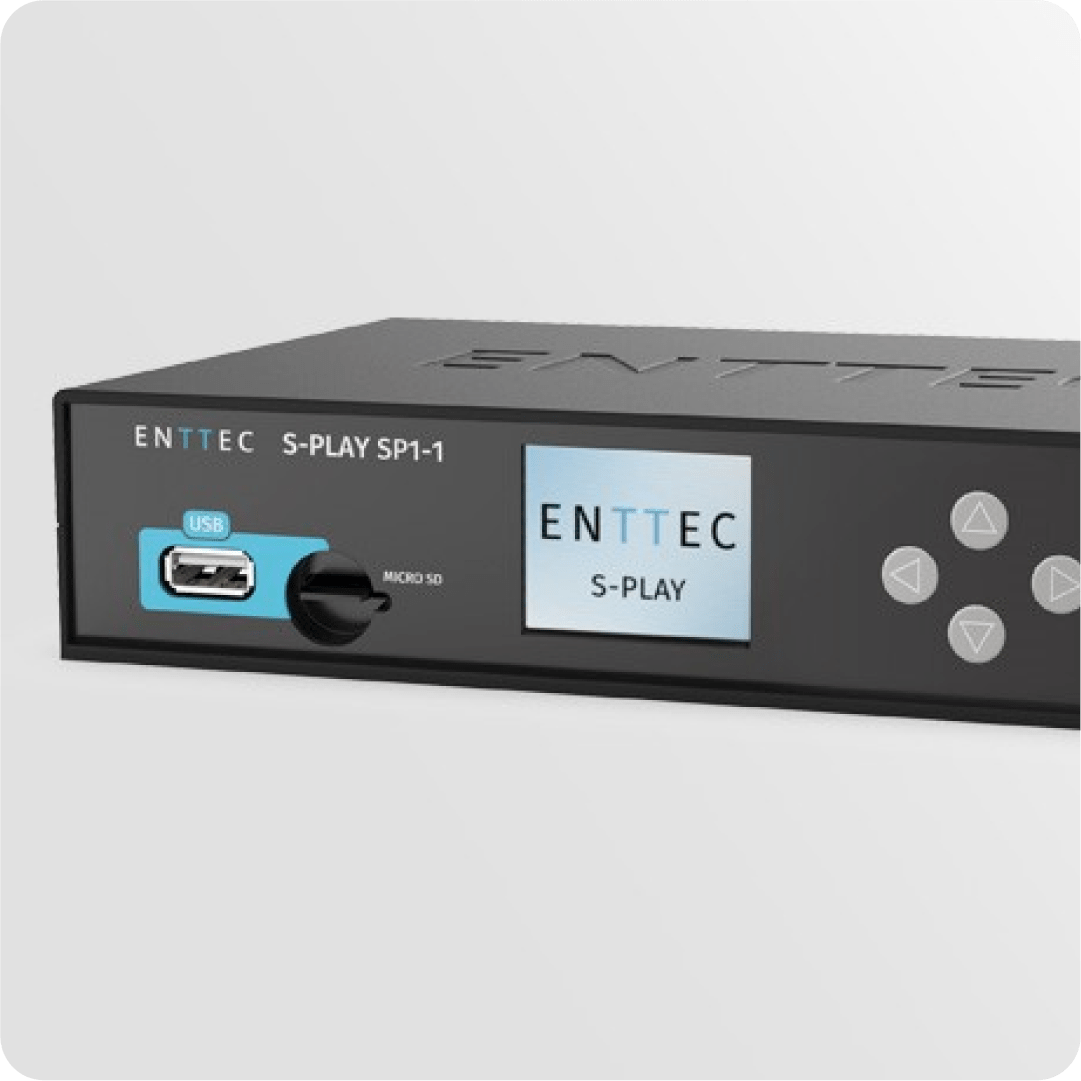
或者,如果你想尽快开始使用,并且已经拥有了一台ENTTEC的DMX USB Pro,那么你确实可以将它与EMU配合使用。对于ODE MK3来说也是如此,当然,如果你想通过网络扩展你的设备配置,它会很方便。甚至你旧的DMXIS转接盒也能派上用场呢!
In the meantime, do check out the official ENTTEC EMU hardware interface, and discover for yourself how it can help bring you and your audiences the complete EMU experience.
Alternatively, if you want to get going in a hurry and already have an ENTTEC DMX USB Pro, you can indeed use this with EMU. The same goes for the ODE MK3, handy of course if you want to expand your setup over a network. And even your old DMXIS breakout box will do the trick!
与此同时,请务必查看一下ENTTEC官方的EMU硬件接口,亲自体验一下它如何能帮助你和你的观众获得完整的EMU体验。
灯具!
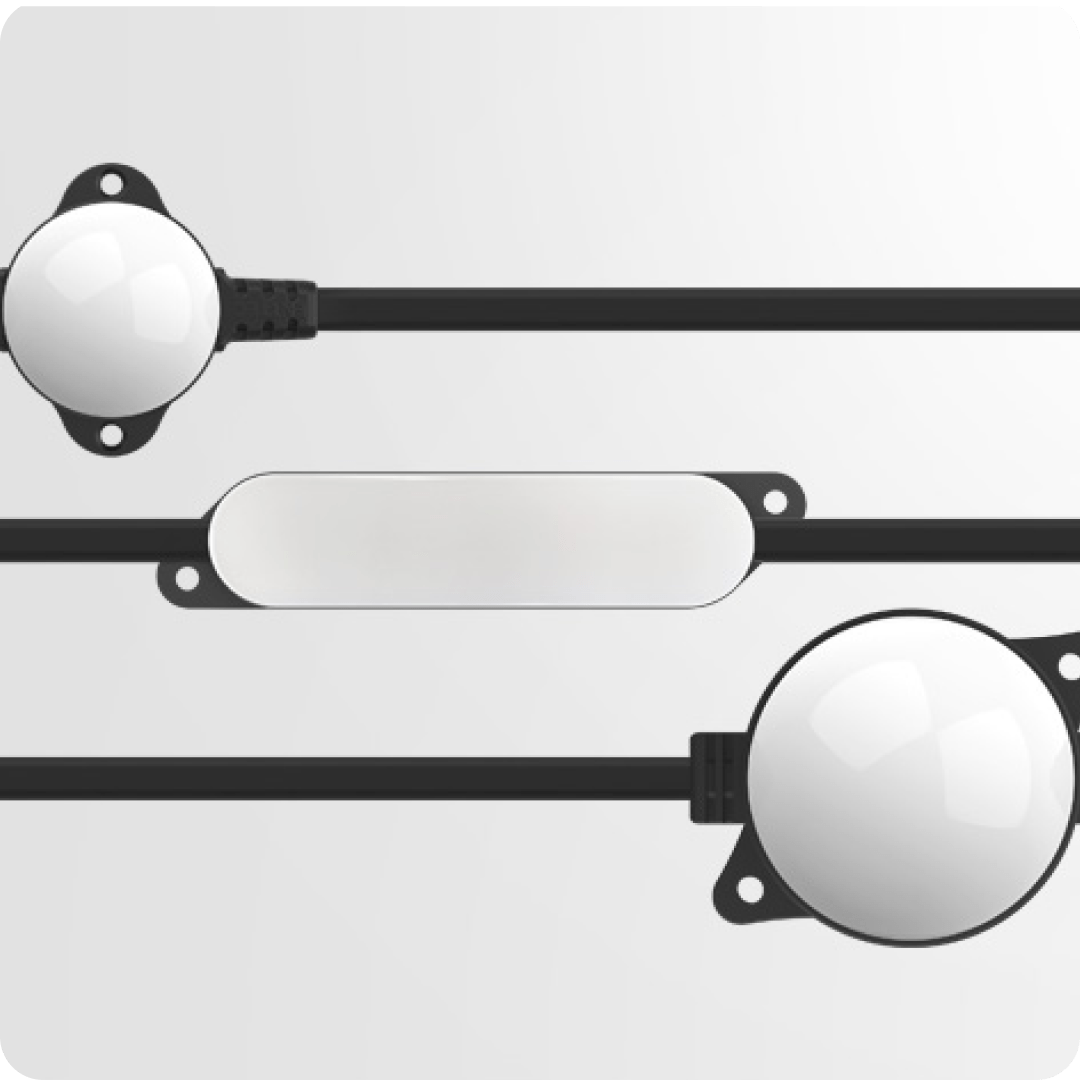
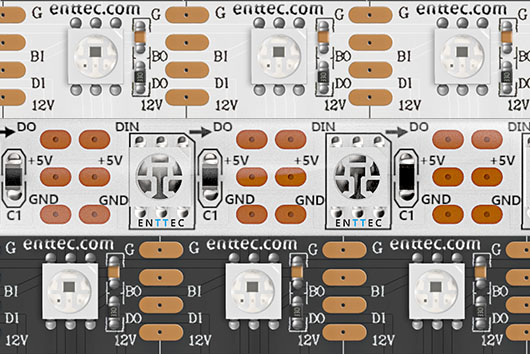
与DMXIS类似,你还需要一些灯具。无论你想用LED灯带、PAR灯(筒灯)、摇头灯还是其他任何你能想到的灯具,任何制造商生产的DMX灯具都可与EMU配合使用。ENTTEC提供了一系列LED像素灯带选项,在你选购时,或许也可以看看其中的一些产品……
鼓手Goose使用 EMU 来控制他的灯光!
观看他是如何使用 EMU 和 Ableton 来打造这场精彩绝伦的演出的!
系统要求
Mac
需要 macOS 14 “Sonoma” 或更高版本
双核 2 GHz 或更高性能的处理器
8GB 内存
4GB 或以上显存的显卡
Windows
支持以下 64 位版本:Windows 10 / Windows 11
双核 2 GHz 或更高性能的处理器
8GB 内存
4GB 或以上显存的显卡

资源
最新版本
免费下载 EMU,即可在更新页面获取测试版功能。
Release Versions:
Version # 26.01.23.3
## Build 26.01.23.3

## Added Features & Bug fixes:
 - Release of Led Mapping BETA - 20+ scenes to choose from - 10+ parameters to tweak the scenes - Create custom scene variations  - Arrangement tools Circle, Line, Grid - Map any fixture to the canvas - Import video scenes (.avi, .mov, .mp4)
Version # 25.11.13.10
## Build 25.11.13.10

## Added Features & Bug fixes:
- Added MIDI event logging: all MIDI events are now visible in the MIDI tab for easier monitoring and debugging.
Version # 25.10.30.6
## Build 25.10.30.6

## Added Features & Bug fixes:
- Added option to bind MIDI events to programs for fast switching between programs. Try it with MIDI learn button.


How do I get support or request a fixture file?
For EMU support or getting a fixture added to the Crescit library, visit our user forum.
When raising a request or reporting a suspected bug, include as much relevant information as possible. In addition to adding your desired outcome. This will allow the community to understand and replicate exactly what you’re facing. The clearer this information is, the faster a resolution can be found. We encourage you include the following wherever possible:
Screengrabs // Screen recordings // Photos // Videos
– EMU log file (found at ‘/Documents/EMU/Logs’ on Windows or ‘/Users/{UserName}/EMU/logs’ on macOS)

相关产品
探索整套照明解决方案
Download EMU
EMU_Download
"*" indicates required fields